VR Viewpoint
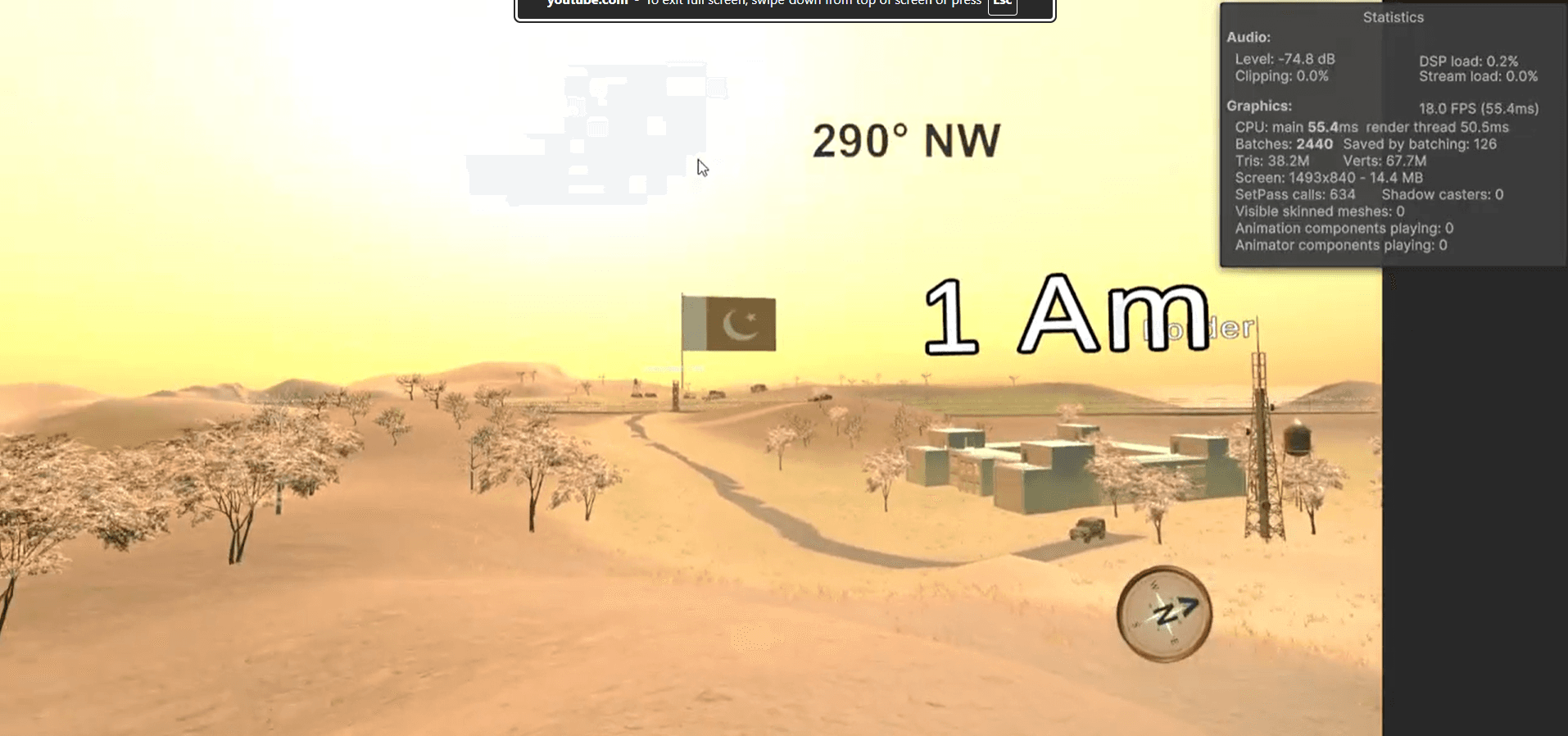
Presents the virtual environment from the user's point of view and supports the intended soldier's-eye perspective.
Engineering Case Study
An immersive virtual reality environment created for an Army Institute of Technology sand-model presentation.
Role
Programmer
Project Status
VR Presentation Prototype
Technical Focus
Immersive Viewpoint, Desert Environment, VR Presentation, Human-Scale Perspective
Section 01
Section 02
Section 03
This project is an immersive virtual reality experience created as part of a sand-model presentation at the Army Institute of Technology, Pune.
The objective was to help the institute's Chairman experience a remote desert environment from the perspective of a soldier, going beyond the conventional view offered by a physical sand model.
By presenting the environment through VR, the project aimed to communicate the sense of scale, isolation, and surrounding terrain more directly.
My role was Programmer, responsible for programming contributions to the VR experience.
Section 04
The primary challenge was translating a desert environment represented through a sand-model presentation into an immersive, human-scale virtual experience. Rather than presenting only an external overview of the terrain, the experience needed to communicate what it might feel like to be situated inside that landscape.
Translate the sand-model concept into an immersive VR presentation.
Represent a remote, sparsely populated desert environment from a human-scale perspective.
Communicate environmental scale and isolation through a first-person viewpoint.
Create an experience suitable for demonstration to a non-technical audience.
Integrate programming and environmental content into a coherent VR prototype.
Prioritize clarity and usability during the presentation.
Section 05
The following architecture describes the experience through functional responsibilities. It is a logical documentation model and should be refined against the final Unity scene and scripts as those implementation details are confirmed.
Presents the virtual environment from the user's point of view and supports the intended soldier's-eye perspective.
Represents the input and navigation functionality used to experience or observe the environment. The exact locomotion method remains implementation-specific.
Contains the terrain, environmental assets, and spatial layout used to communicate the remote desert setting.
Organizes the sequence of actions and viewpoints that support the sand-model presentation and communicate the intended experience.
Section 06
Conceptual presentation flow for the VR Desert Experience, based on the stated sand-model demonstration purpose rather than an unverified class or scene graph.
Start the Unity application and prepare the headset presentation.
Place the viewer inside the desert environment at a human-scale perspective.
Use the implemented viewing or navigation controls to experience the environment.
Use the surrounding terrain and spatial composition to complement the physical sand model.
Deliver a clear, accessible demonstration for the intended non-technical audience.
Section 07
The programming work focused on supporting an immersive desert-environment demonstration within a virtual reality experience.
Presented the environment at a human scale to support the intended soldier's-eye perspective.
Brought the desert scene and the interactive VR application together into a coherent experience.
Supported the way the viewer explores or observes the environment during the demonstration.
Organized the experience around a clearly defined audience and purpose rather than a traditional gameplay loop.
Combined programming and scene content into a demonstrable VR project.
Section 07
Problem
A sand model provides an external overview of a landscape, but does not directly communicate how the same environment appears from ground level.
Solution
Used a VR viewpoint and desert scene composition to communicate the surrounding terrain at a scale appropriate for the viewer.
Trade-off: Environmental detail must be balanced against VR rendering performance and a clear viewing experience.
Problem
The demonstration needed to convey the intended setting clearly to a viewer who may be unfamiliar with VR controls.
Solution
Prioritized an accessible viewing experience and organized interaction around the demonstration's objectives.
Trade-off: Complex interactions may increase immersion but also introduce unnecessary difficulty during a short demonstration.
Section 08
Method: Run the experience in the headset and confirm that the desert scene appears correctly.
Result: The demonstration should present the intended environment without missing scene content or setup issues.
Method: Check the terrain from the intended human-scale perspective.
Result: The viewpoint should communicate the surrounding terrain and soldier's-eye perspective clearly.
Method: Use the implemented controls and complete the demonstration sequence.
Result: The experience should remain predictable and understandable for the intended audience.
Method: Observe the demonstration for comfort and clarity during the presentation.
Result: Device-specific performance measurements and audience feedback should be added when available.
Section 09
View other projects or get in touch.